
Stuck behind a paid news boundary or subscriber-only barrier? Accessing crucial research and news shouldn’t always require a paid account. Use our instant free online paywall removal tool below to unblock articles in seconds, or scroll down for detailed browser hacks, extensions, and manual tricks.
Free Online Paywall Removal Tool
Paste any blocked or paid news URL below to read the full article for free.
- What is a Paywall & How Does It Block Content?
- Best Free Online Paywall Removal Tools & Archive Viewers
- Browser Tricks to Bypass Paywalls Without Extensions
- Advanced Manual Removal via Inspect Element (DOM Editing)
- Free Paywall Bypass Extensions for Chrome & Firefox
- Mobile Solutions: iOS Shortcuts & Android Methods
- How to Bypass Academic Research Paper Paywalls
- Legal, Safety & Ethical Considerations
- Frequently Asked Questions (FAQs)
What is a Paywall & How Does It Block Content?
A paywall is a digital boundary placed on websites to restrict access to content unless the reader purchases a paid subscription or logs into an authorized account.
Publishers rely on paywalls to compensate for falling digital advertising revenues and to fund investigative journalism. However, not all paywalls use the same blocking mechanisms.
Soft vs. Hard vs. Dynamic Paywalls
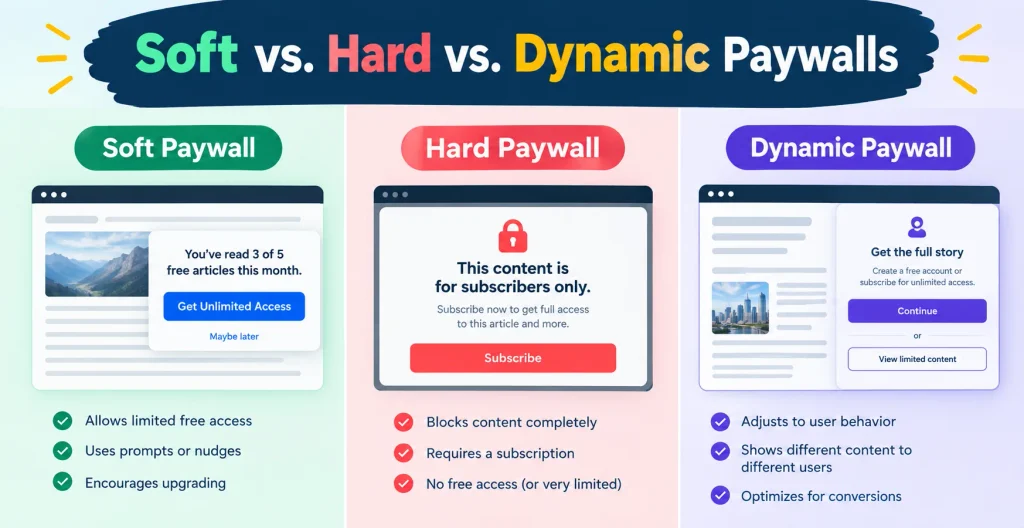
- Soft Paywalls (Metered Access): These allow users to read a set number of free articles per month before locking access. The full content often loads into your browser’s background, hidden behind a simple JavaScript overlay.
- Hard Paywalls (Server-Side Blocking): Websites with hard paywalls (such as The Wall Street Journal or Financial Times) do not send the full article text to your browser at all unless you are authenticated.
- Dynamic Paywalls: Driven by AI and machine learning, these analyze user location, device, and browsing behavior to trigger paywalls specifically for high-intent readers.
Expectation Setting: Soft and metered paywalls can almost always be bypassed using browser tweaks, reader modes, or scripts. Hard paywalls generally require web archive snapshots.
Best Free Online Paywall Removal Tools & Archive Viewers
Online web archive portals bypass paywalls by serving cached snapshots saved by web crawlers before or around the paywall restriction.
[User Input Link] ───> [Online Unblocker / Archive] ───> [Serves Static Cached Copy]
Archive.ph & Wayback Machine Redirection
Archive.ph (and its mirrors like Archive.today) and the Wayback Machine capture web page snapshots.
- Copy the URL of the paywalled article.
- Visit Archive.ph or Archive.org.
- Paste the URL into the search/archive field.
- If a snapshot already exists, it opens immediately. If not, click “Archive this page” to force the server to crawl and cache the full article text.
12ft.io & Modern Online Alternatives
Tools like 12ft.io, Smry.ai, and Freedium strip away extra page elements and show clean, readable text.
- 12ft.io: Designed to show pages as Googlebot sees them, though some top news outlets block its access.
- Smry.ai: Summarizes articles while bypassing soft paywalls using AI-assisted caching.
- Freedium: Excellent for reading paywalled or subscriber-only blog posts on platforms like Medium.
Browser Tricks to Bypass Paywalls Without Extensions
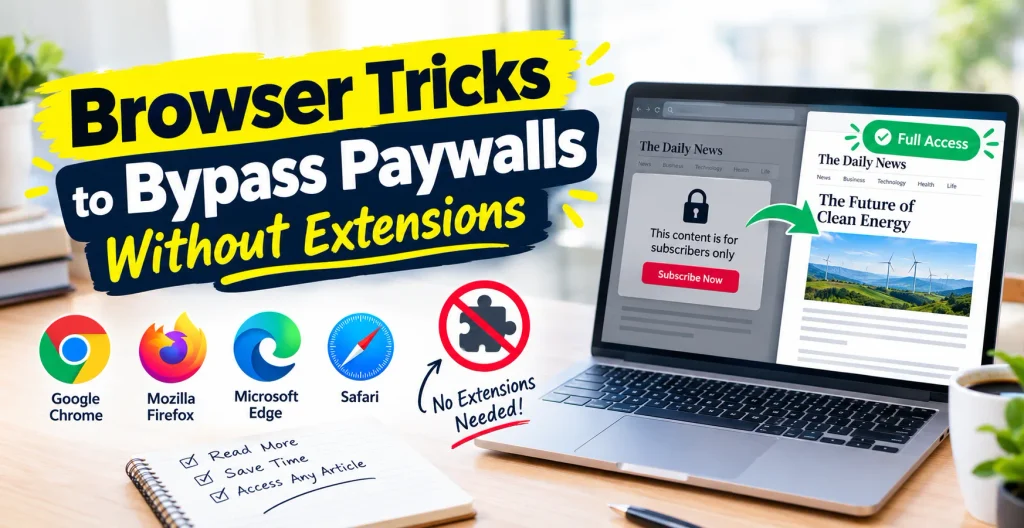
You can bypass many client-side paywalls directly using built-in developer options in your browser without downloading third-party tools.
Disabling JavaScript in Chrome & Edge DevTools
Most soft paywalls rely on JavaScript scripts to render popups and hide text.
- Open the paywalled article in Chrome or Edge.
- Press F12 (or Ctrl + Shift + I on Windows / Cmd + Option + I on Mac) to open Developer Tools.
- Press Ctrl + Shift + P (Windows) or Cmd + Shift + P (Mac) to open the Command Menu.
- Type “Disable JavaScript” and press Enter.
- Refresh the page (F5). The article text will load without the paywall script running.
F12 (DevTools) ───> Ctrl + Shift + P ───> Type "Disable JavaScript" ───> Refresh Page
Switching User-Agent to Googlebot
News sites often let Google’s search indexer read full articles so their content ranks in search results.
- Open DevTools (F12).
- Click the three vertical dots in the top-right of the DevTools panel -> More tools -> Network conditions.
- Uncheck “Use browser default” next to User agent.
- Select Googlebot Desktop or Googlebot Smartphone from the dropdown list.
- Reload the page to access the article.
Safari Show Reader Mode & Incognito Limits
- Reader Mode: In Safari, Chrome, or Firefox, click the Reader View icon in the address bar (or press Cmd + Shift + R on Mac). This strips away ads, CSS popups, and soft paywall overlays instantly.
- Clearing Cookies & Incognito: Metered paywalls track views via browser cookies. Opening the article in an Incognito / Private Window or clearing site cookies resets your free article count.
Advanced Manual Removal via Inspect Element (DOM Editing)
When a website loads full text behind a grayed-out overlay, you can manually delete the overlay from the Document Object Model (DOM).
Right-Click Overlay ───> Inspect Element ───> Delete Overlay Node ───> Clear 'overflow: hidden'
Removing Blur Overlays & Content Blocker CSS
- Right-click directly on the blurred text or paywall popup banner.
- Select Inspect to highlight the element in the DevTools Elements tab.
- Select the highlighted HTML code snippet (
<div class="paywall-overlay">) and press Delete. - If text remains blurred, locate the parent article container tag in the code and remove CSS properties like
filter: blur(5px);.
Restoring Page Scrollbar
Websites often disable page scrolling when displaying a paywall popup.
- In DevTools, scroll up to locate the
<body>or<html>tag. - Look at the Styles panel on the right.
- Uncheck or delete
overflow: hidden;or change it tooverflow: scroll;. Scrolling will immediately be restored.
Free Paywall Bypass Extensions for Chrome & Firefox
Browser extensions offer an automated solution by dynamically stripping paywall scripts across thousands of news sites.
Installing Custom Extensions from GitHub
Because effective bypass extensions are frequently removed from the official Chrome Web Store, open-source extensions are hosted on GitHub.
- Download the extension ZIP file from a trusted GitHub repository (e.g., Bypass Paywalls Clean).
- Extract the downloaded ZIP folder on your computer.
- Open Chrome and navigate to
chrome://extensions/. - Enable Developer mode using the toggle switch in the top-right corner.
- Click Load unpacked and select the extracted extension folder.
Privacy, Safety & Chrome Web Store Policies
- Always review the source code on GitHub before installing unpacked extensions.
- Avoid third-party extensions requesting unnecessary permissions like accessing passwords or financial data.
Mobile Solutions: iOS Shortcuts & Android Methods
Apple iOS Shortcuts Paywall Remover
iPhone and iPad users can execute 1-click paywall removals using native iOS Shortcuts.
- Open the Shortcuts app on your iOS device.
- Create a new shortcut that takes the Shortcut Input (URL) and appends it to
[https://archive.ph/](https://archive.ph/). - Enable “Show in Share Sheet”.
- When browsing in Safari, tap the Share button and run your paywall shortcut to open the cached article immediately.
Android Mobile Reader Mode & Browser Tweaks
- Firefox for Android: Supports open-source extensions like uBlock Origin. You can create custom filters to block paywall popups automatically.
- Chrome Reader Mode: Tap the “Show simplified view” prompt that appears at the top of supported articles.
How to Bypass Academic Research Paper Paywalls
Academic journal paywalls operate differently from news websites, but several dedicated research tools provide free, legal access.
| Tool | Best Used For | Method |
| Unpaywall | Open-access research papers | Browser extension that links to legal open-access author repositories. |
| ResearchGate | Academic papers & preprints | Direct request to paper authors for free copies. |
| Sci-Hub | Journal papers & DOI lookup | Input DOI or PMID number to fetch published papers directly. |
Legal, Safety & Ethical Considerations
Is Paywall Removal Legal?
- Viewing Web Archives: Using public caching services like Archive.today or the Wayback Machine is completely legal for end-users, as these platforms index publicly accessible web content.
- Disabling JavaScript: Toggling off browser features or using Reader View uses native browser options and does not violate digital laws.
- Ethics: If you frequently read a specific publication, purchasing a subscription directly supports writers, investigative teams, and independent journalism.
Frequently Asked Questions (FAQs)
How to bypass paywall 2026?
The most reliable methods in 2026 are using web archive tools (Archive.ph), toggling Disable JavaScript in browser DevTools (F12), or activating built-in Reader View on desktop and mobile browsers.
Is 12ft.io still working?
12ft.io works on basic soft paywalls, but many major news outlets block it. If 12ft.io fails, use Archive.ph or Smry.ai as reliable alternatives.
Can ChatGPT bypass a paywall?
No, ChatGPT cannot bypass hard-paywalled URLs because OpenAI’s web crawlers respect robots.txt files and site paywalls. It can only summarize articles if you copy and paste text directly into the chat.
How to bypass paywall on any website?
Follow this systematic order: First, try switching to Reader Mode. If that fails, paste the URL into Archive.ph. For soft paywalls, disable JavaScript via DevTools (F12). For hard paywalls, check Sci-Hub or Unpaywall (for academic papers).
Can I get in trouble for bypassing a paywall?
No, as an individual reader, using browser settings, reader modes, or public web archives does not carry legal penalties. However, redistributing paid content commercially violates copyright laws.
Is there a plugin that can bypass paywalls?
Yes, open-source plugins like Bypass Paywalls Clean (available on GitHub) automatically bypass paywalls across hundreds of sites. You can install it manually in Chrome or Firefox using Developer Mode.