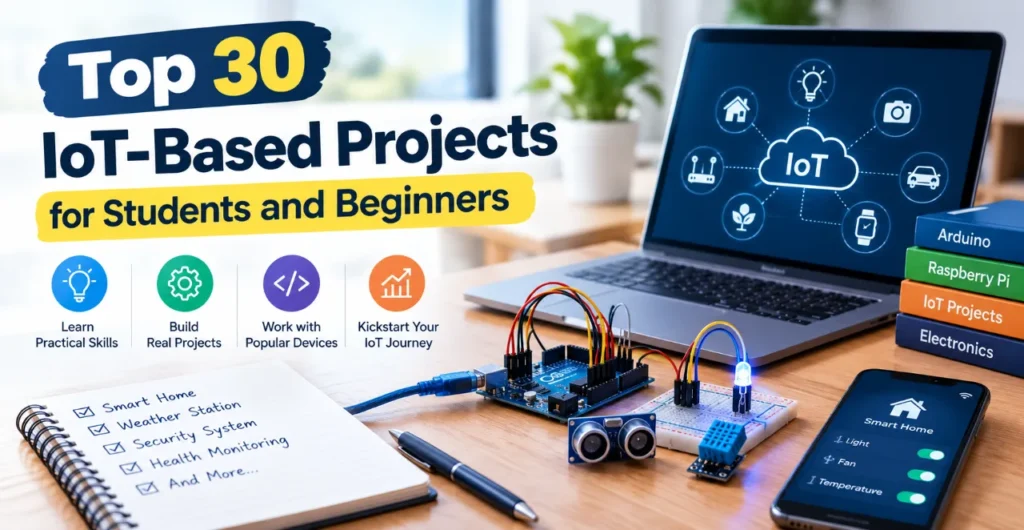
Building an Internet of Things project often turns into a frustrating loop of broken Wi-Fi connections, misread sensor pins, and incomplete guides. If you are looking for reliable 30 IoT-Based Projects with clear, step-by-step guidance, this complete guide is built for you. We cover everything from $10 beginner circuits to advanced edge-computing builds with exact wiring diagrams, code, and cloud dashboards so you can build with confidence on the first boot.
- The Essential IoT Developer’s Toolkit: Microcontrollers, Sensors & Cloud Platforms
- Beginner IoT Projects (1–10): Simple Sensor Interfacing & Live Telemetry
- Intermediate IoT Projects (11–20): Smart Home Automation & Actuator Control
- Advanced & Industrial IoT Projects (21–30): IIoT, Edge Computing & AI Integration
- Troubleshooting, Network Security & Real-World Enclosure Deployment
- Frequently Asked Questions (FAQs)
The Essential IoT Developer’s Toolkit: Microcontrollers, Sensors & Cloud Platforms
Starting an IoT project requires choosing the right hardware and network stack. The core architecture relies on three layers:
- Microcontroller: Reads inputs, processes logic, and handles network traffic.
- Sensor Interfacing: Translates physical measurements (temperature, motion, light) into digital signals.
- Firmware Programming: Code running on the chip that packages telemetry and sends it over the internet.
| Layer 1: Inputs & Actuators | Layer 2: Processing & Connectivity | Layer 3: Analytics & Control |
| Sensors / Relays | Microcontroller Unit | Cloud Dashboards |
| (DHT22, PIR, MQ2) | (ESP32 / NodeMCU) | (Blynk, Adafruit) |
Selecting the Right Microcontroller & Communication Protocols
Choosing the wrong board can stall your project before you write a single line of code.
| Board | Wireless Support | Typical Cost | Best Use Case |
| ESP32 | Wi-Fi & Bluetooth / BLE | $4 – $6 | Best overall for dual-network IoT builds |
| NodeMCU (ESP8266) | Wi-Fi (2.4 GHz) | $3 – $4 | Low-cost basic Wi-Fi sensors |
| Arduino UNO | None (Needs shield) | $6 – $10 | Offline basic learning and analog sensors |
| Raspberry Pi 4 | Wi-Fi, BLE, Ethernet | $45+ | Edge computing, video processing, and local servers |
Hardware Sourcing Alternatives:
If an ESP32 is out of stock, use a NodeMCU board for basic Wi-Fi tasks. If you cannot find a DHT22 temperature sensor, swap in a DHT11. Just remember to update the sensor type flag in your code library.
Cloud Platforms & Data Visualization Dashboards
Sending data off the board requires a reliable cloud endpoint.
- Blynk App (2.0): Ideal for mobile control widgets and quick smartphone alerts.
- ThingSpeak: Excellent for mathematical analysis and MATLAB-based data visualization.
- Adafruit IO: Simple dashboard creation with low setup friction for beginners.
- AWS IoT Core & Google Cloud IoT: Best for industrial-grade MQTT protocol management and large device fleets.
For real-time telemetry, use the MQTT Protocol because its lightweight payload saves bandwidth. For occasional data dumps, standard HTTP/HTTPS calls work fine.
Beginner IoT Projects (1–10): Simple Sensor Interfacing & Live Telemetry
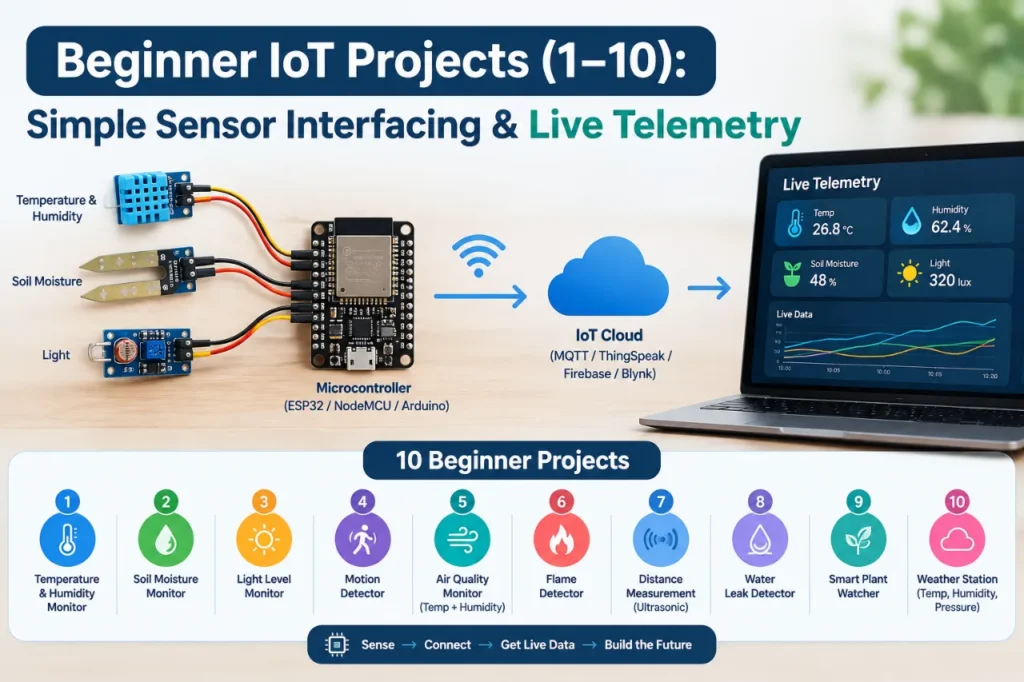
These beginner projects keep hardware costs between $10 and $15 while teaching you how to push live data to the web.
Project 1: Smart Temperature & Humidity Monitor (ESP32 + DHT11/DHT22)
This build measures indoor climate and pushes live readings to an Adafruit IO dashboard.
- Estimated Cost: $10 – $12
- Components: ESP32 board, DHT22 sensor, 10k-ohm resistor, breadboard, wires.
Wiring Pinout Table
| ESP32 Pin | DHT22 Pin | Description |
| 3V3 | Pin 1 (VCC) | Power Supply (3.3V) |
| GPIO 23 | Pin 2 (Data) | Data Line (Add 10k pull-up resistor to VCC) |
| NC | Pin 3 (NC) | Not Connected |
| GND | Pin 4 (GND) | Ground Connection |
Setup & Firmware Logic
- Create an Adafruit IO account and add two feeds:
temperatureandhumidity. - Install the
DHT sensor libraryandAdafruit IO Arduinolibrary in your Arduino IDE. - Flash the firmware snippet below to upload data every 10 seconds.
C++
#include <WiFi.h>
#include "AdafruitIO_WiFi.h"
#include <DHT.h>

#define IO_USERNAME  "YOUR_ADAFRUIT_USERNAME"
#define IO_KEY       "YOUR_ADAFRUIT_KEY"
#define WIFI_SSID    "YOUR_WIFI_NAME"
#define WIFI_PASS    "YOUR_WIFI_PASSWORD"

#define DHTPIN 23
#define DHTTYPE DHT22

DHT dht(DHTPIN, DHTTYPE);
AdafruitIO_WiFi io(IO_USERNAME, IO_KEY, WIFI_SSID, WIFI_PASS);

AdafruitIO_Feed *tempFeed = io.feed("temperature");
AdafruitIO_Feed *humidFeed = io.feed("humidity");

void setup() {
  Serial.begin(115200);
  dht.begin();
  io.connect();
  while(io.status() < AIO_CONNECTED) { delay(500); }
}

void loop() {
  io.run();
  float t = dht.readTemperature();
  float h = dht.readHumidity();

  if (!isnan(t) && !isnan(h)) {
    tempFeed->save(t);
    humidFeed->save(h);
  }
  delay(10000);
}
Additional Beginner Projects
- Project 2: Motion Detection Alarm System using PIR Motion Sensor & Blynk App. Triggers push notifications to your phone whenever movement breaks the PIR sensor beam.
- Project 3: Smart Distance Meter using Ultrasonic Sensor & ThingSpeak. Measures tank levels or garage parking distances using ultrasonic pulses mapped to online charts.
- Project 4: Gas Leakage Alert System using MQ Gas Sensor & Relay Module. Detects LPG or smoke, activates a local buzzer, and trips a safety relay while emailing an alert.
- Project 5: Automated Plant Watering System (Smart Agriculture). Reads soil moisture levels and turns on a small 5V mini-pump when the soil drops below a preset threshold.
- Project 6: Wi-Fi Smart Switch using NodeMCU & Relay Module. Replaces standard physical switches so you can toggle desk lamps from a local web browser page.
- Project 7: Environmental Air Quality Monitor with HTTP/HTTPS Logging. Tracks indoor dust and gas levels, writing hourly logs straight to a web server endpoint.
- Project 8: Touchless Doorbell using PIR Sensor & Buzzer. Sounds a notification chime without requiring guests to physically touch a button surface.
- Project 9: BLE Room Occupancy Counter with Mobile Alerts. Uses Bluetooth signals to detect nearby active smartphones and estimate room foot traffic.
- Project 10: Simple Weather Station with Remote Data Monitoring. Combines barometric pressure, rain drop, and humidity sensors into a single remote dashboard station.
Intermediate IoT Projects (11–20): Smart Home Automation & Actuator Control
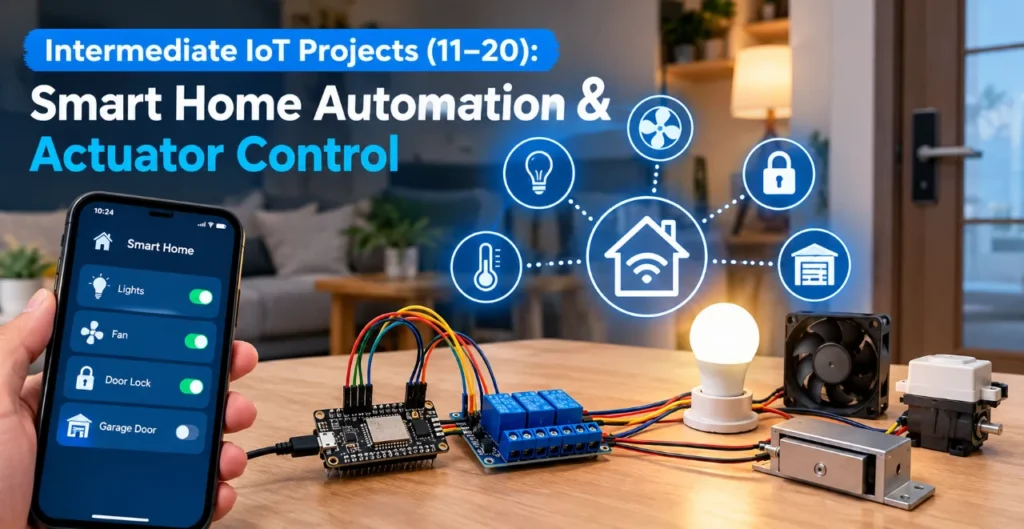
Intermediate builds introduce multi-sensor networks, AC relay wiring, and external API calls.
Project 11: Voice-Controlled Smart Home Automation System (ESP32 + AWS IoT Core)
This system lets you control AC home appliances safely using cloud voice integration and isolated relay boards.
Safety Tip: When controlling 110V/220V mains voltage, always use optically isolated relay modules. Keep high-voltage wires physically isolated from your low-voltage microcontroller logic lines.
- Components: ESP32, 4-Channel Optocoupled Relay, AWS IoT Core credentials, jumper cables.
- Functionality: Subscribes to MQTT shadow updates on AWS IoT Core. Switching a state on your dashboard toggles the relay pins instantly.
Additional Intermediate Projects
- Project 12: IoT Smart Irrigation System with Weather API Integration. Checks local rain forecasts via an online weather API before deciding to activate field sprinklers.
- Project 13: RFID-Based Attendance System with Google Sheets Logging. Scans RC522 RFID tags and appends timestamps directly to a Google Sheet via webhooks.
- Project 14: Patient Healthcare Telemetry Monitor (Pulse Oximeter + Wi-Fi). Reads heart rate and MAX30102 pulse data, streaming live stats to medical monitoring dashboards.
- Project 15: Smart Garbage Monitoring System using Ultrasonic Sensors. Measures fill depth in public trash bins to alert collection trucks only when bins are full.
- Project 16: Solar Power Monitoring System with ThingSpeak Analytics. Tracks panel voltage and current output using INA219 sensors to calculate daily solar energy yield.
- Project 17: IoT-Based Energy Meter for Home Appliance Tracking. Clamps a non-invasive current transformer (CT sensor) onto main lines to display real-time power draw.
- Project 18: Smart Pet Feeder using Servo Motor & MQTT Protocol. Rotates a food hopper dispenser on a daily remote schedule or via a manual app button.
- Project 19: Long-Range LoRaWAN Soil Moisture Sensor Node. Sends moisture readings across long distances without local Wi-Fi, using low-power LoRa gateways.
- Project 20: Smart Street Light System with Ambient Light Auto-Dimming. Uses LDR light sensors and PIR motion checks to dim public streetlights when roadways are empty.
Advanced & Industrial IoT Projects (21–30): IIoT, Edge Computing & AI Integration

Advanced projects focus on edge AI processing, industrial maintenance, and complex networks.
Project 21: Industrial IoT (IIoT) Vibration & Temperature Machine Health Monitor
Designed for factory floors, this monitor checks motor health using edge analysis.
- Core Hardware: ESP32, MPU6050 Accelerometer, Waterproof DS18B20 Temperature Sensor.
- Edge Logic: Calculates RMS vibration levels directly on the chip. If vibration spikes past safety limits, the ESP32 cuts motor power locally before notifying the cloud.
Additional Advanced Projects
- Project 22: AI-Powered ESP32-CAM Smart Security Camera with Edge Detection. Runs lightweight TensorFlow Lite models locally to spot human movement before saving photos to a server.
- Project 23: Autonomous Fleet & Asset Tracker using GPS Module + NodeMCU. Reads NEO-6M GPS coordinates and uploads real-time vehicle routes over a cellular link.
- Project 24: LoRaWAN Remote Environmental Monitoring Network. Deploys multiple low-power field nodes that relay forest fire and air data to a single central station.
- Project 25: Industrial Conveyor Belt Automation with Predictive Maintenance Logic. Monitors gear slip and temperature spikes, warning factory technicians before a mechanical breakdown occurs.
- Project 26: Smart Parking System with Real-Time Cloud Space Allocation. Uses IR sensors at garage entry points to track empty spots and update a live reservation app.
- Project 27: IoT Aqua-Culture (Fish Farm) Water Quality Monitoring System. Measures pH, water temperature, and dissolved oxygen levels to protect fish tank health automatically.
- Project 28: Smart Grid Load Balancer using Raspberry Pi & Cloud Dashboard. Dynamically switches heavy appliances between solar battery banks and grid power based on energy costs.
- Project 29: Cold Chain Refrigeration Telemetry System for Healthcare Telemetry. Tracks medical vaccine fridge temperatures, sending SMS alerts if power drops or doors stay open.
- Project 30: Smart Water Tank Level Controller with Auto-Cutoff Relay. Automates rooftop water pump switches, preventing overflow and avoiding dry pump motor burns.
Troubleshooting, Network Security & Real-World Enclosure Deployment
Even correct circuits fail if power drops or Wi-Fi configurations break. Here is how to fix common build problems.
Common Hardware Failure Points & Quick Fixes
- Floating Inputs: Digital pins left unconnected flicker randomly between High and Low states. Always enable internal pull-up resistors in code (
pinMode(PIN, INPUT_PULLUP)). - Power Rail Collapse: Servo motors and relays draw sudden current spikes that reset microcontrollers. Add a 100uF to 470uF electrolytic capacitor directly across the 5V and GND rails to smooth out power dips.
- Baud Rate Mismatches: If your Serial Monitor displays unreadable garbled characters, make sure your code
Serial.begin(115200)setting matches the dropdown speed setting in the monitor window.
Wi-Fi Provisioning & Basic Security Tips
Hardcoding Wi-Fi credentials into your sketch makes updating networks a hassle. Use the WiFiManager library instead. If the board cannot find a saved network, it spins up an access point page on your phone where you can select new Wi-Fi credentials easily.
Never publish code containing raw API keys or passwords to public GitHub repositories. Keep sensitive tokens in a separate header file or pass them as environment variables during build time.
Power Optimization & Weatherproof Enclosures
For battery-powered field nodes, place the board into deep sleep mode between sensor reads:
C++
// Sleep for 15 minutes to preserve battery life
ESP.deepSleep(900 * 1000000);
When mounting outdoor gear like agricultural moisture sensors, use IP65-rated plastic junction boxes. Add rubber cable glands at wire entry points to block rain and moisture accumulation.
Frequently Asked Questions (FAQs)
What does IoT stand for?
IoT stands for the Internet of Things. It refers to a network of physical devices embedded with sensors, microcontrollers, and software that connect and exchange data with other systems over the internet.
What are IoT projects?
IoT projects are hands-on hardware and software builds that combine physical components like sensors and relays with connected microcontrollers. They allow users to automate tasks, gather data, and remotely monitor equipment using phone or web dashboards.
What are some examples of IoT-based projects?
Popular examples include smart home automation systems, weather monitoring stations, automated agricultural irrigation units, motion-activated security alarms, and remote medical health monitors.
What are 10 examples of IoT devices?
- ESP32 Wi-Fi Microcontroller
- NodeMCU (ESP8266)
- Raspberry Pi 4
- Smart Thermostats
- Wi-Fi Smart Relays
- DHT22 Temperature & Humidity Sensors
- PIR Motion Sensors
- Smart Security Cameras
- Fitness Trackers
- Smart Water Flow Meters
What are 5 IoT device examples?
Five common IoT hardware components used in beginner projects are the ESP32 Microcontroller, DHT11 Climate Sensor, Blynk Smart Relay, Raspberry Pi Gateway, and Ultrasonic Distance Sensor.